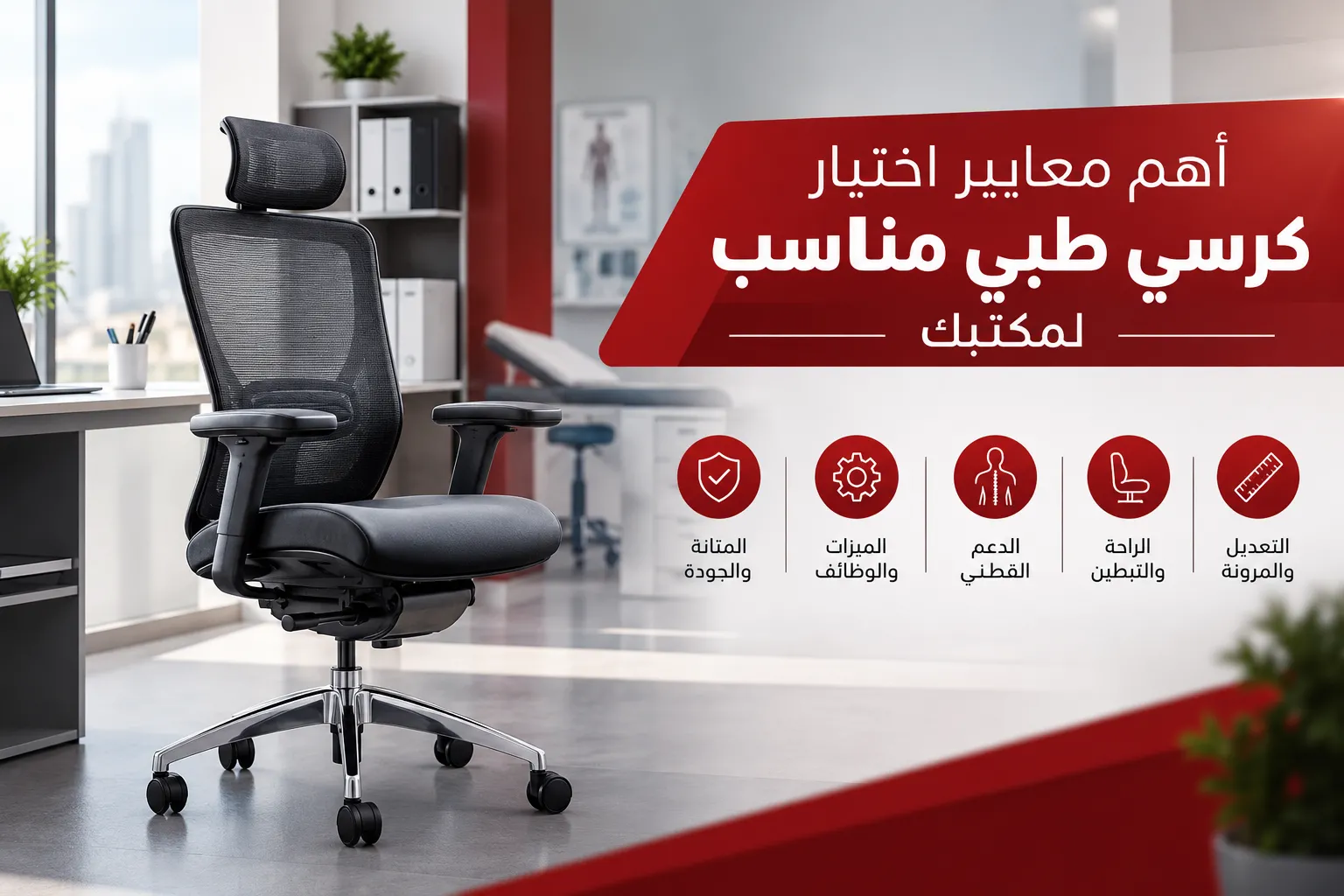

Choosing the right office chair is an important part of creating a comfortable and productive workplace. Employees who spend long hours sitting at their desks need chairs that provide proper support, adjustable features, and durable materials suitable for everyday use.
When searching for an ergonomic office chair, appearance and price should not be the only considerations. Factors such as lumbar support, seat height, seat depth, armrests, backrest adjustment, and overall build quality all influence the comfort and usability of an office chair.
Whether you are furnishing a home office, a corporate workspace, or an entire company headquarters, understanding these factors can help you make a more informed purchasing decision.
Back support is one of the most important features to consider when choosing an ergonomic office chair. Sitting for extended periods without adequate support may contribute to discomfort, particularly in the lower back.
Look for a chair with a backrest that follows the natural shape of the spine and provides suitable lumbar support. Some models offer adjustable lumbar support, allowing users to change its position to better suit their individual needs.
Backrest height is another factor to consider. Medium-back chairs may work well for certain office environments, while high-back chairs provide support across a larger area of the back.
The best option depends on the user's body dimensions, working habits, and personal comfort preferences. It is also important to remember that a chair described as "medical" is not automatically suitable for everyone. The actual design, adjustability, and fit matter more than the label.
Seat height directly affects how comfortably a person can sit at a desk. A chair that is too high may leave the feet unsupported, while a seat that is too low can create an uncomfortable sitting position.
Ideally, users should be able to adjust the seat so their feet rest flat on the floor or on a suitable footrest. Their knees should remain in a comfortable position, and their arms should be able to reach the desk without excessive shoulder movement.
An adjustable office chair is especially useful in workplaces where employees have different heights or share workstations.
Before purchasing, check that the height-adjustment mechanism operates smoothly and can accommodate the user's height as well as the desk's dimensions.
Seat dimensions play an important role in overall comfort. The seat should provide enough width and depth to support the user without restricting movement.
A seat that is too deep may make it difficult to lean against the backrest while keeping the backs of the knees comfortable. A seat that is too shallow may not provide sufficient support for the thighs.
Cushioning also deserves attention. The seat should feel supportive without being excessively hard or so soft that the body sinks into it. High-quality foam and durable upholstery can help maintain comfort over time, depending on the materials and construction.
Whenever possible, test the chair before purchasing to ensure that its dimensions and cushioning suit the intended user.
Armrests can help support the arms during typing, writing, and other desk-based activities. However, they are most useful when their height and position suit the user's body and desk.
Properly positioned armrests allow the shoulders to remain relaxed and help prevent users from having to raise their arms unnecessarily.
Some office chairs feature fixed armrests, while others allow adjustments to height, width, or angle. Adjustable options can be particularly useful in shared workspaces or when several employees use similar workstation setups.
It is also important to check that the armrests do not prevent the chair from moving close enough to the desk. Otherwise, users may have to lean forward or stretch their arms to reach their work surface.
The ability to adjust the backrest can make it easier to change sitting positions throughout the working day rather than remaining in one fixed posture.
Some ergonomic office chairs allow users to recline the backrest, adjust the tilt resistance, or lock the chair in selected positions.
When evaluating these features, check whether the controls are easy to reach and operate. The chair should remain stable during normal movement, and the recline mechanism should suit the user's preferences and working habits.
More adjustment features do not necessarily mean a chair is better. The most important consideration is whether the available functions are useful, reliable, and easy to operate.
The materials used to manufacture an office chair affect its durability, appearance, and suitability for everyday use.
Before buying, pay attention to the following components:
Warranty coverage and the availability of maintenance services are also important, especially when purchasing several chairs for a corporate office.
Office chairs are available in different upholstery materials, each offering specific benefits depending on the workplace and intended use.
Mesh chairs allow air to circulate through the backrest and, in some designs, the seat. This can make them a suitable option for offices where ventilation and breathability are priorities.
However, mesh quality and flexibility vary between models, so it is important to evaluate the construction rather than choosing based on material alone.
Fabric chairs are available in a wide range of colors and textures. They can provide a comfortable seating experience when paired with suitable cushioning and quality construction.
Consider how easy the fabric is to clean and whether it can withstand frequent use in a busy workplace.
Faux leather chairs offer a formal appearance that may suit executive offices, reception areas, and meeting rooms. Many versions are easy to wipe clean, although breathability and durability depend on the quality of the material.
There is no single upholstery material that works best in every situation. The right choice depends on the office environment, maintenance requirements, design preferences, and expected daily use.
The base and wheels influence a chair's stability and ease of movement, even though they are sometimes overlooked during the purchasing process.
Choose a stable base and wheels that are compatible with the flooring. Some wheel designs are better suited to hard floors, while others work more effectively on carpet.
Check that the chair moves smoothly, turns easily, and remains stable during normal use.
For offices with delicate flooring, consider suitable protective solutions or wheels designed for the specific surface, following the manufacturer's recommendations.
Different office roles require different seating solutions. Choosing a chair based on its intended use can help businesses balance comfort, functionality, and budget.
For computer-based work: Prioritize lumbar support, seat adjustment, and a comfortable position for typing and using a mouse.
For executive offices: Consider chairs that combine comfort, durable materials, and a professional appearance.
For meeting rooms: Focus on appropriate comfort for the expected meeting duration, easy arrangement, and compatibility with the meeting table.
For reception areas: Choose seating that suits the company's image, is easy to maintain, and provides suitable comfort for visitors.
For shared workstations: Adjustable chairs can accommodate different users more effectively.
Identifying the main purpose of each chair helps prevent unnecessary spending on features that employees may not need.
Even a well-designed chair may feel uncomfortable if it does not fit the desk properly.
Users should be able to sit close enough to the work surface without the armrests or chair base getting in the way. The monitor, keyboard, and mouse should also be positioned to support a comfortable working posture.
If a desk is too high to adjust, the chair should provide a suitable range of seat-height adjustment. A footrest may also be helpful if the user's feet cannot comfortably reach the floor after adjusting the seat.
For this reason, it is better to evaluate the chair and desk together rather than purchasing each item without considering their dimensions.
In smaller offices, an oversized chair may restrict movement or make it difficult to access drawers, storage units, and nearby workstations.
Before buying, measure the available space around the desk and ensure that users have enough room to pull out the chair, turn, sit down, and stand up comfortably.
Also consider walkways, doorways, and the position of nearby furniture, particularly in offices with multiple employees working in close proximity.
When furnishing an entire workplace, include the chairs in the office layout plan to make sure every workstation offers adequate space for daily activities.
Office chair prices vary depending on materials, adjustment mechanisms, design, and manufacturing quality. However, the cheapest option is not always the most cost-effective choice in the long term.
Before making a purchase, compare:
For companies furnishing several workstations, evaluating the overall cost alongside quality and service can help ensure that the purchase fits both operational requirements and the available budget.
Avoiding common purchasing mistakes can help you choose a chair that meets your actual needs.
A stylish design cannot compensate for poor back support, unsuitable seat dimensions, or limited adjustment options. Evaluate comfort and functionality before making a decision.
A chair may not fit every user equally well. Check seat height, seat depth, backrest height, and armrest positioning before buying.
Whenever possible, sit in the chair and adjust its settings. Check whether you can lean against the backrest comfortably, rest your feet properly, and reach the desk without straining.
Office chairs may require maintenance or replacement parts over time. Review the warranty and available service options before purchasing.
When furnishing a company office, consider testing one or more models before placing a large order. This makes it easier to assess comfort, build quality, and suitability for employees.
If you are setting up a new office or upgrading an existing workplace, start by identifying the number of employees, the nature of their work, and the average time they spend sitting.
Next, establish a budget and define the essential chair specifications, such as lumbar support, adjustable height, durable materials, and ease of movement.
It can also be helpful to maintain a consistent quality level across similar workstations while selecting different models where specific requirements justify the choice, such as executive offices or meeting rooms.
This approach helps companies make organized purchasing decisions, avoid unnecessary features, and select chairs that support their everyday operations.
Choosing the right office chair is only one part of creating a functional workspace. Companies must also consider desks, storage units, meeting tables, reception counters, and the overall layout of the office.
Furniture Office provides office furniture solutions for different business requirements, whether a company is furnishing a new headquarters or upgrading an existing office.
By considering the available space, intended use, design preferences, and budget, businesses can select furniture that works together to create a more organized and professional environment.
When furnishing an entire office, it is important to view chairs as part of the overall workspace rather than as separate products. Their height and dimensions should complement the desks, workstation layout, and available movement space.
Choosing the right ergonomic office chair requires more than looking at its design or price. Important factors include lumbar support, seat dimensions, height adjustment, material quality, base stability, and ease of movement.
You should also consider the type of work, hours of use, office layout, and compatibility with the desk. For companies purchasing multiple chairs, comparing specifications, warranty coverage, and total cost can help identify the most suitable options.
A well-informed choice can contribute to a more comfortable and organized workplace while ensuring that the furniture meets the practical needs of employees and the business.